


Country Living Color by Number
4.922.00 Reviews
App Specs
- Version
- 1.0.5
- Updated On
- License
- Free
- Downloads
- 10,000+
- Developer
- ColorVerse Game Studio
- Categories
- Board
- Platform
- Android
Screenshots

 Analysis by AppCompare
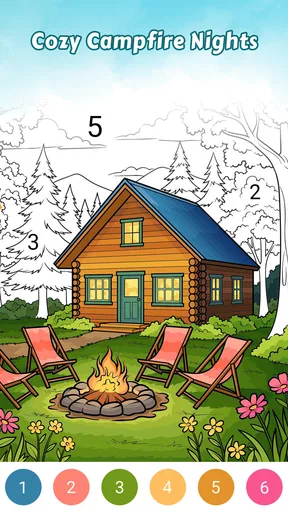
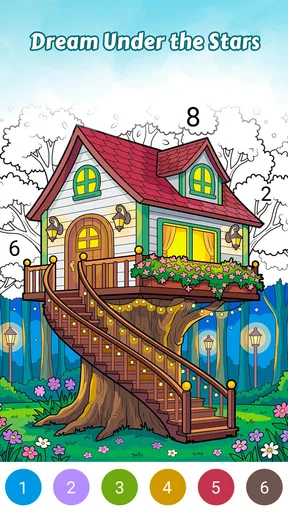
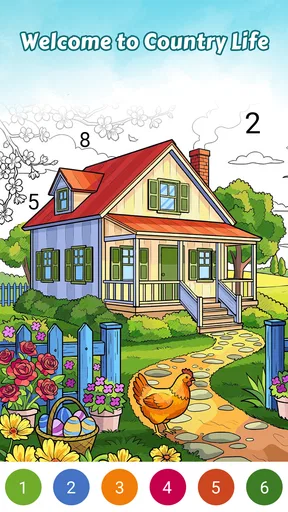
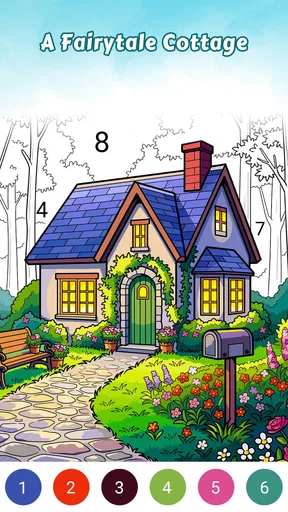
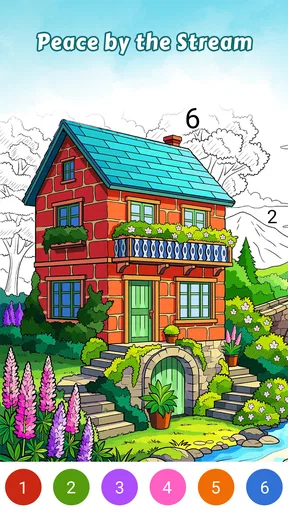
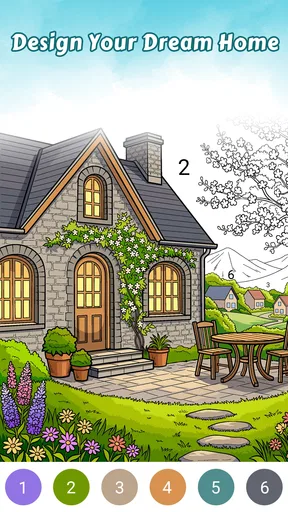
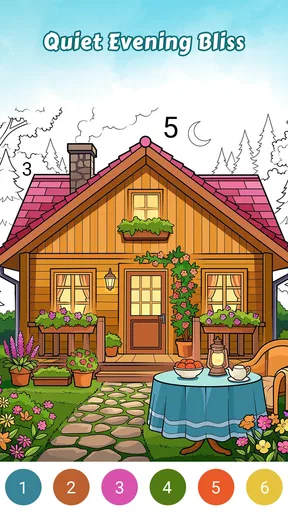
Country Living Color by Number is a gentle board game built around tapping color areas into warm, rustic country scenes. I found its appeal in the quiet rhythm rather than in challenge: choose a shade, find the matching spaces, and gradually turn an outlined picture into finished cozy art. It is the sort of game I would open when I want something calm to do for a few minutes without learning complicated rules.
That simple idea also explains both its strength and its limits. This is not a strategy board game, a competitive puzzle, or a creative drawing studio where I can freely choose every brushstroke. The experience is guided by numbered coloring, so the satisfaction comes from completing a scene accurately and watching small sections become more polished. If that sounds relaxing, it is worth a closer look. If I want problem-solving, competition, or complete artistic control, I would choose something else.
Getting comfortable with the coloring workflow
I found it easiest to settle into the coloring by treating each picture as a few small areas rather than one task to finish all at once. That makes the numbered spaces easier to track and gives me natural stopping points when a break ends. Once that rhythm feels comfortable, the main question is how to handle the occasional fussy patch without letting it spoil the calm.
Where the first few minutes can feel less obvious
The main friction is not the concept itself but adjusting to the scale of the artwork. Country scenes often contain small areas, and a tap that feels precise on one part of the image may be less reliable when several narrow sections sit close together. I quickly learned not to rush across detailed areas. A slower rhythm makes the game feel more relaxing and reduces the chance of repeatedly tapping beside the intended section.
Another possible sticking point is knowing what to do when an image looks almost complete. A picture can appear finished while a few tiny numbered spaces remain hidden among furniture, plants, fences, fabric, or background details. Instead of assuming the game has stopped responding, I would scan the scene carefully and work around the edges of larger objects. The final uncolored spaces are often the ones that require the most attention.
The best way to play is to treat accuracy as part of the relaxation, not as a race. I select a color, look for its remaining areas, and move methodically through the picture. That approach is especially useful on a phone, where quick swipes or hurried taps can make a detailed scene feel more awkward than it needs to be.
Simple setup checks before blaming the game
Country Living Color by Number is free to start, which makes it easy to try without committing money immediately. It is rated for Everyone, so its presentation is suitable for a broad audience. The game comes from ColorVerse Game Studio, and the current version is 1.0.5. It requires Android 7.0 or later, an important check for anyone installing it on an older phone or tablet.
Worth Reading Before You Choose

EA SPORTS FC Mobile 26 Is a Bigger Football Game, but It Takes Time

Flipboard Shows What News Apps Must Do Beyond the Feed

Switching to Android Auto Means Rethinking Your Driving Routine

Google Calendar Makes a Crowded Week Easier to Manage

Ludo King Makes the Most of the Minutes Between Plans

Baby Panda World Brings Quick Play to Modern Phones, but Its Game Library Feels Busy
If the game does not install or open properly, I would first check the operating system rather than repeatedly retrying the download. A compatible device, enough free storage, and a stable connection are sensible first steps for any mobile game. Restarting the device can also clear a temporary launch problem, while updating the app through the normal store process is worth checking if an update is available.
The game has passed the early discovery stage with over 10 thousand installs, and its average rating is 4.9 from 87 ratings, alongside 22 written reviews. Those figures suggest that the basic experience is landing well with the people who have tried it, although a smaller audience means I would still judge it by my own tolerance for repetitive coloring rather than treating the rating as a guarantee.
There is also a practical purchase consideration. The game itself is free, while optional in-app purchases range from 99 cents to $39.99 per item. I would decide in advance whether I am happy to stay within the free experience or spend on extras. That small boundary-setting step matters in a relaxing game because an unexpected purchase prompt can interrupt the mood, especially if a child is using the device.
A workflow that keeps detailed scenes manageable
I get the smoothest results by dividing a picture into zones instead of trying to complete every visible color in one sweep. I might begin with the largest background sections, then move to the main house or furniture, and leave narrow decorative details for the end. This is not a special mode or hidden function; it is simply a more reliable way to keep track of what remains.
When a color seems to have disappeared, I would tap another clearly visible area first. If that responds normally, the issue is probably not a total freeze. I would then return to the difficult patch with slower taps and, where the interface allows it, use the device’s ordinary zoom gesture to inspect the artwork more closely. Zooming is particularly helpful for corners and patterned objects, although it can make navigation feel less fluid if I enlarge too far and lose sight of the broader composition.
A useful habit is to finish one color before switching repeatedly between several shades. This reduces visual clutter and makes it easier to notice the last small patch. It also gives the session a natural stopping point: when one color is complete, I can either continue with the next or close the game without feeling that I abandoned a chaotic half-finished screen.
If progress appears to be missing after reopening the game, I would avoid immediately clearing storage or uninstalling it. Those actions can remove local progress in many mobile games. I would first close and reopen the app, check whether the same artwork is selected, and allow a moment for the screen to load. Only after trying non-destructive steps would I consider more drastic device troubleshooting.
When the app may not be the cause
Touch problems are easy to misread as game problems. A thick screen protector, damp fingers, a crowded multitasking session, or a phone that is already running slowly can all make precise coloring feel inconsistent. Cleaning the screen, removing a bulky case temporarily, and closing demanding background apps are sensible tests. If other touch-based apps also respond poorly, I would investigate the device instead of focusing only on this game.
Performance can also depend on the hardware. A newer phone may handle scene navigation more comfortably than an older device that is close to its limits. If the picture stutters, I would restart the phone, close unused apps, and make sure the device is not unusually hot. Playing while the battery is very low or while many processes are active can create a misleading impression that the coloring game itself is unstable.
Connection issues are another source of confusion during installation or any activity that needs the store or online access. Switching between a reliable Wi-Fi connection and mobile data can identify a network problem, but I would not repeatedly press purchase or download buttons while the connection is uncertain. That is a safer habit whenever an app includes optional purchases.
For family use, the Everyone rating makes the game approachable, but the payment range still deserves adult attention. I would use the device’s purchase controls and make sure the person playing understands that the free download and optional paid items are different things. The calm visual style may suit children, parents, and older players, yet the small color areas can be tiring for anyone with limited vision or difficulty using precise touch controls.
What makes it different from ordinary alternatives
Compared with a physical coloring book, this game removes the need for pencils, erasers, and a table. I can pick it up during a short break and leave without cleaning anything away. The trade-off is that the result remains on the screen, and I do not get the tactile feeling or unrestricted color choices of paper and art supplies.
Compared with a free-drawing app, the guided format is much easier to begin. I do not need to decide what to sketch or worry about proportions. The numbered areas provide a clear path from unfinished outline to completed scene. The downside is equally clear: I am following the design rather than expressing an original idea, so creative users may find the process too controlled after a few sessions.
Compared with a traditional puzzle game, the mental demand is deliberately light. There are no difficult combinations to memorize or opponents to outthink. That makes it a good companion for winding down, but a poor choice when I want a strong sense of mastery through increasingly complex challenges. Its board-game classification describes the format, not a competitive tabletop experience.
One non-obvious advantage is how well the guided structure fits interrupted play. If I have only a short wait before an appointment, I can complete a few sections without needing to remember a complicated story or strategic plan. The corresponding weakness is that the activity can become repetitive for players who need constant novelty. The same calm loop that helps me relax may feel slow to someone expecting levels, scores, or surprises.
Who will enjoy it, and who should skip it
I would recommend it to people who like cozy visual themes, gentle tapping, and small completion goals. It is particularly suitable for a quiet evening, a short commute when it is safe to use a phone, or a break between tasks. Someone who enjoys arranging attention around colors and details may find the scenes pleasantly absorbing without feeling pressured.
It also works for families sharing a compatible device, provided an adult handles purchase settings and helps younger players with tiny areas. The Everyone rating supports that broad audience, but suitability still depends on patience and eyesight. A child who expects a fast action game may lose interest, while a patient player may appreciate the straightforward routine.
I would skip it if I need a competitive board experience, a deep puzzle system, or a tool for making entirely personal artwork. I would also be cautious if precise tapping is uncomfortable or if I dislike repeating a similar color-by-number process across multiple scenes. In those cases, a free-form drawing app, a traditional puzzle, or a physical coloring book would better match the goal.
Everyday use: a realistic short session
Imagine I have ten minutes before leaving for work. I open the game, choose a country scene, and start with the broadest areas so the image changes quickly. Rather than trying to finish everything, I complete a manageable color group, inspect the remaining small spaces, and stop at a natural break. The session gives me a quiet reset without requiring sound, a long tutorial, or a commitment to a full level.
At home, I might use it differently. After a busy day, I would lower the pace, enlarge difficult details when needed, and work through the scene in sections. If I notice myself tapping impatiently, that is a useful signal to pause rather than force completion. The game is most enjoyable when I let the repetitive action do its calming work; it loses some of that value when I treat every unfinished patch as an urgent task.
Practical judgement after using the full idea
Country Living Color by Number succeeds because it understands its narrow purpose. The rustic subject matter gives the artwork a consistent cozy identity, while the number-guided process removes the pressure of inventing a picture. I like that I can approach it casually, return for a brief session, and use a simple zone-by-zone method to avoid getting lost in detailed scenes.
Its limitations are tied to that same simplicity. There is little reason to expect strategic depth from a game centered on filling numbered spaces, and players who want freedom or competition may quickly outgrow it. Small areas can demand patience, and optional purchases mean I would keep spending controls in mind even though the initial download is free.
For me, the deciding question is not whether it offers a huge amount of variety or challenge, but whether I want a calm digital coloring routine. If the answer is yes, this release from ColorVerse Game Studio is an easy recommendation for compatible Android users. If I want a richer puzzle, unrestricted drawing, or a tactile offline activity, I would choose a different category instead.
Overall, I see it as a pleasant low-pressure board game for short, focused breaks. Its 4.9 average gives it an encouraging first impression, and the free entry point makes trying it straightforward. I would install it with realistic expectations, check Android compatibility first, protect purchase settings, and judge it by one simple standard: whether completing these warm country scenes helps me slow down for a while.
Pros
- Relaxing coloring activity suitable for short or extended sessions.
- Country-themed artwork offers a pleasant change from generic coloring books.
- Simple controls make it accessible for casual players of all ages.
- Offline play lets you color without a constant internet connection.
- Completed pictures can provide satisfying
- shareable creative results.
Cons
- Some detailed images may take considerable time to finish.
- Hints or extra tools may be limited unless rewards or purchases are used.
- The rural artwork theme may feel repetitive for some players.
- Small color sections can be difficult to tap accurately on compact screens.
- Progress could feel slow for users who prefer faster-paced games.
FAQs for Country Living Color by Number
What is Country Living Color by Number?
Country Living Color by Number is a relaxing coloring game inspired by countryside scenes, rural homes, gardens, animals, and other peaceful country-themed artwork. You select an image, choose a color-by-number palette, and fill the matching sections by tapping them. It is designed for casual play, creative relaxation, and short sessions rather than fast-paced competition or complex gameplay.
How does the coloring system work?
After choosing a picture, each area of the artwork is marked with a number that corresponds to a specific color. Select the color shown in the palette and tap the matching sections to complete them. The game generally guides you toward unfinished areas, making it accessible even if you are not experienced with digital coloring. Completed images gradually reveal a detailed country-inspired illustration.
Is Country Living Color by Number free to download and play?
The app can typically be downloaded without an upfront purchase, but the available experience may include advertisements, optional in-app purchases, or premium content depending on the version and platform. Some artwork, hints, tools, or ad-removal options may require payment. Before downloading, check the current Google Play or App Store listing for pricing, subscriptions, and any purchase-related limitations.
Does the game work offline?
Some previously downloaded coloring pages may be available without an internet connection, which can make the game useful while traveling or when mobile data is limited. However, internet access may still be needed for downloading new artwork, displaying advertisements, synchronizing progress, or processing optional features. Offline availability can vary by device and app version, so it is best to test the features you need before relying on it.
Who will enjoy Country Living Color by Number?
This game is a good choice for players who enjoy calm, low-pressure activities and attractive countryside artwork. It may appeal to adults, older children, and anyone looking for a simple way to unwind through digital coloring. It is not focused on action, strategy, or multiplayer competition. Users should also review the app’s age rating, advertising, and in-app purchase information before allowing children to use it.


